A new scene for your product.
Turn an existing product shot into a new visual direction. Try a studio backdrop, a different surface, or lighting for your next campaign.
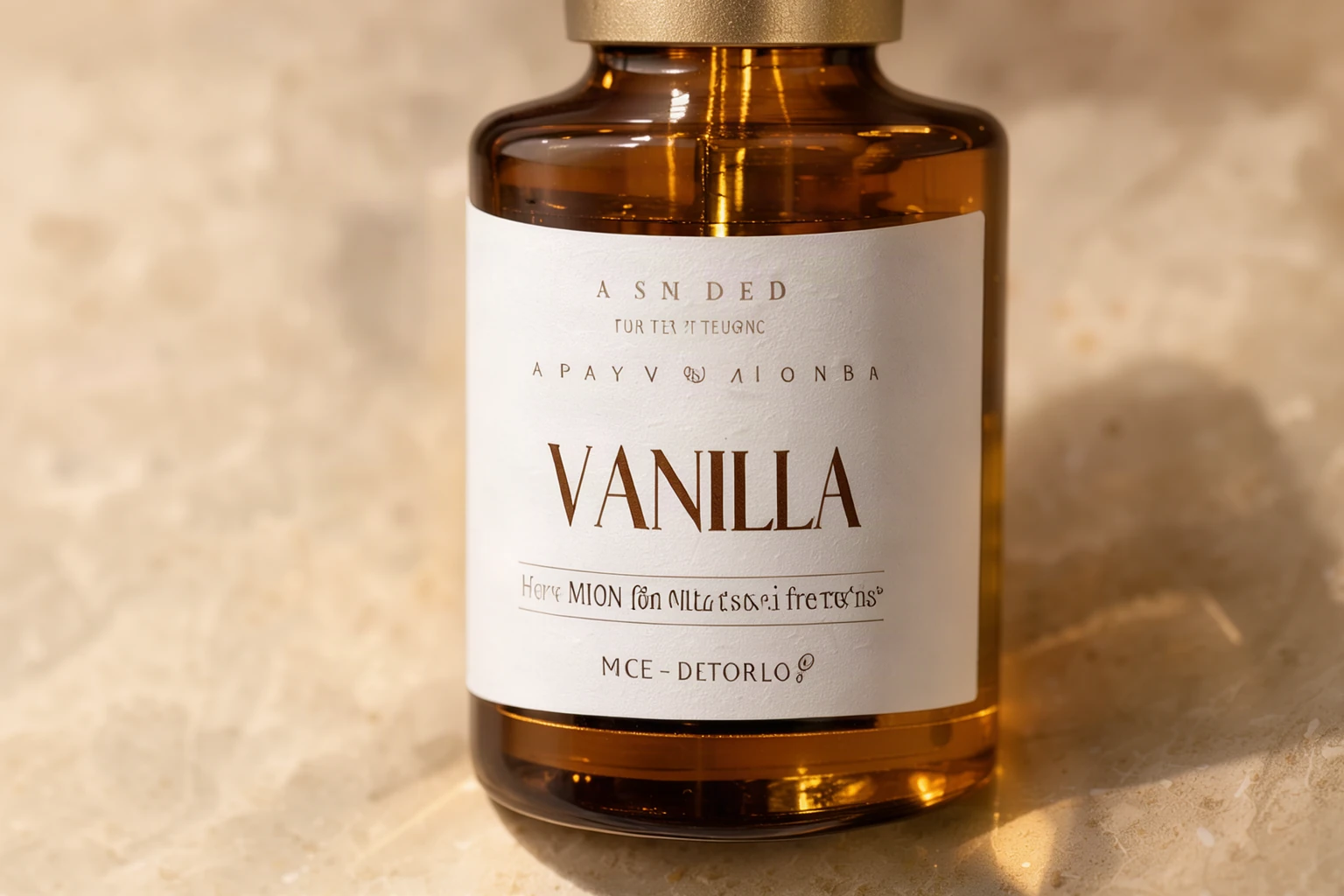
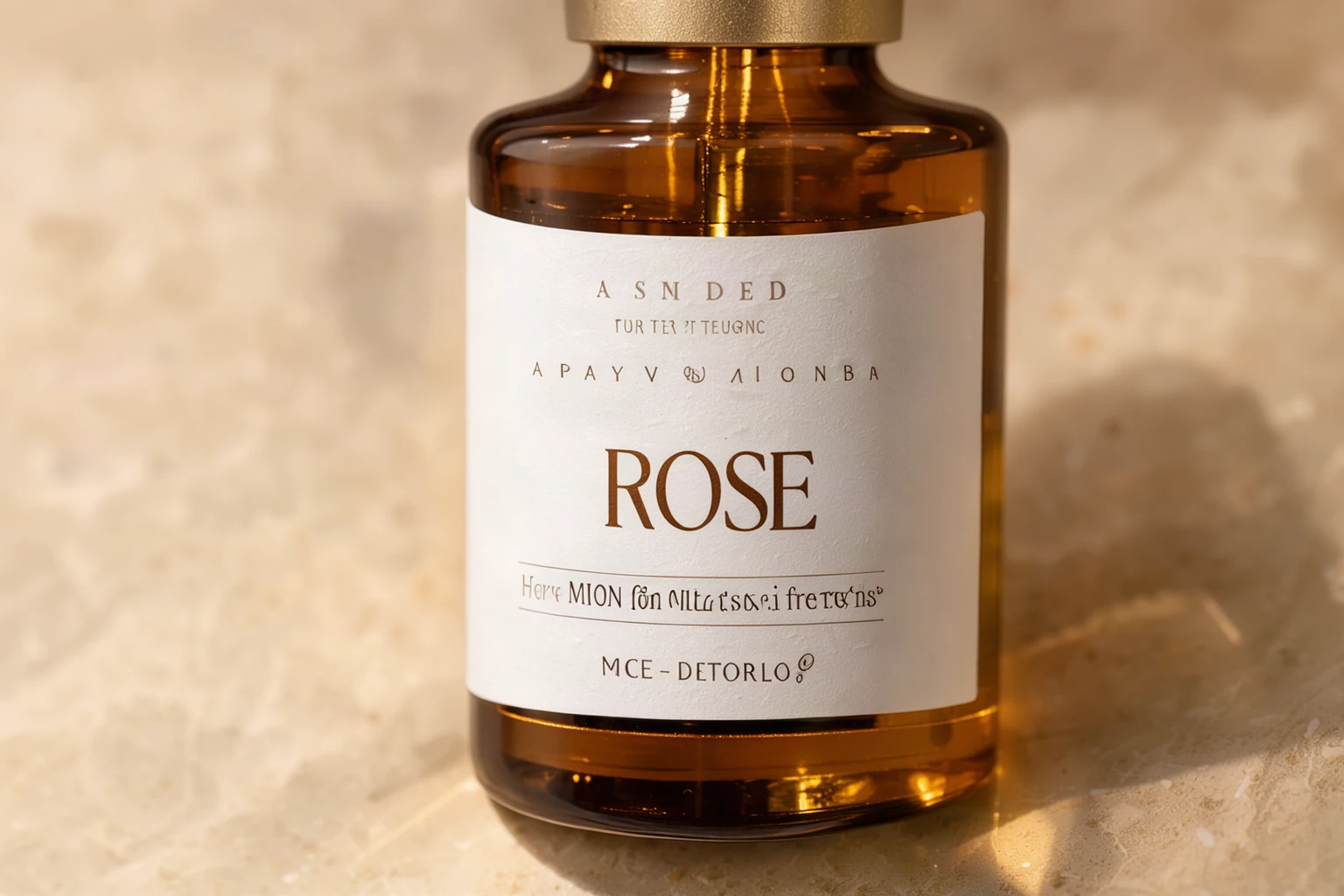 Move your pointer over the picture to move the frame. Arrow keys work too.
Move the frame. Only the edit is in colour.
Or start from one of ours
If an edit fails, the credits come back automatically. Credits are not returned when a finished result is blocked by our content policy.
Upload your product shot. Describe the scene and the product details you want to preserve.
Example: one word on a label
The scent name changed from VANILLA to ROSE, and about 1% of the picture moved. Small print on a label can still shift, so check it.
Instruction used for this example
Change the label text from "VANILLA" to "ROSE". Match the same print style, size and placement. Keep the bottle, label shape, stone and lighting exactly the same.
Site example made with Ideogram 4.5. The source image was created for this demo, and any person shown is fictional.
Try a different art direction.
Suggested starting points for your own product images. Replace the scene details to suit your brand.
A simple catalog setting
Place the product against a clean off-white studio background with a soft contact shadow. Keep its shape, proportions, colors and visible label text as close to the original as possible.
A warmer campaign image
Place the product on a light stone surface in warm afternoon window light. Keep the product's shape, color, packaging and label wording the same. Leave the scene uncluttered.
A dramatic studio scene
Place the product on a dark reflective surface against a deep teal backdrop with subtle rim lighting. Preserve the product proportions, cap and visible label details.
From product shot to new concept.
1Upload a clear product shot
Choose a photo you have the right to edit. Clear outlines and visible product details give you a useful reference for comparison.
2Set the art direction
Describe the backdrop, surface and lighting. Name the product shape, color and packaging details that should stay consistent.
3Inspect the details
Compare packaging, labels and proportions with the original. Refine the version you prefer before downloading your image.
Pay once
No subscription. A Medium edit uses 3 credits and a High edit uses 6. Credits last 30 days.
24 credits
- 24 credits
- Up to 12 FLUX, 8 MOSS / Medium, or 4 High images
- Balance valid for 30 days. No subscription.
- Use across all SteadyEdit image tools
72 credits
Recommended- 72 credits
- Up to 36 FLUX, 24 MOSS / Medium, or 12 High images
- Balance valid for 30 days. No subscription.
- Use across all SteadyEdit image tools
One-time purchases in US dollars. Nothing renews. Waffo Pancake, our payment provider, handles checkout and adds sales tax or VAT where required, so that name may appear on your statement. If an edit fails, its credits come back automatically. You can get a full refund within 7 days of a payment if you have not used the credits it added. Terms of Service · Refund Policy