Remove a person from a photo.
Take out a stranger, a stray object or some clutter. Select what should go and SteadyEdit fills the space with the scene behind it.
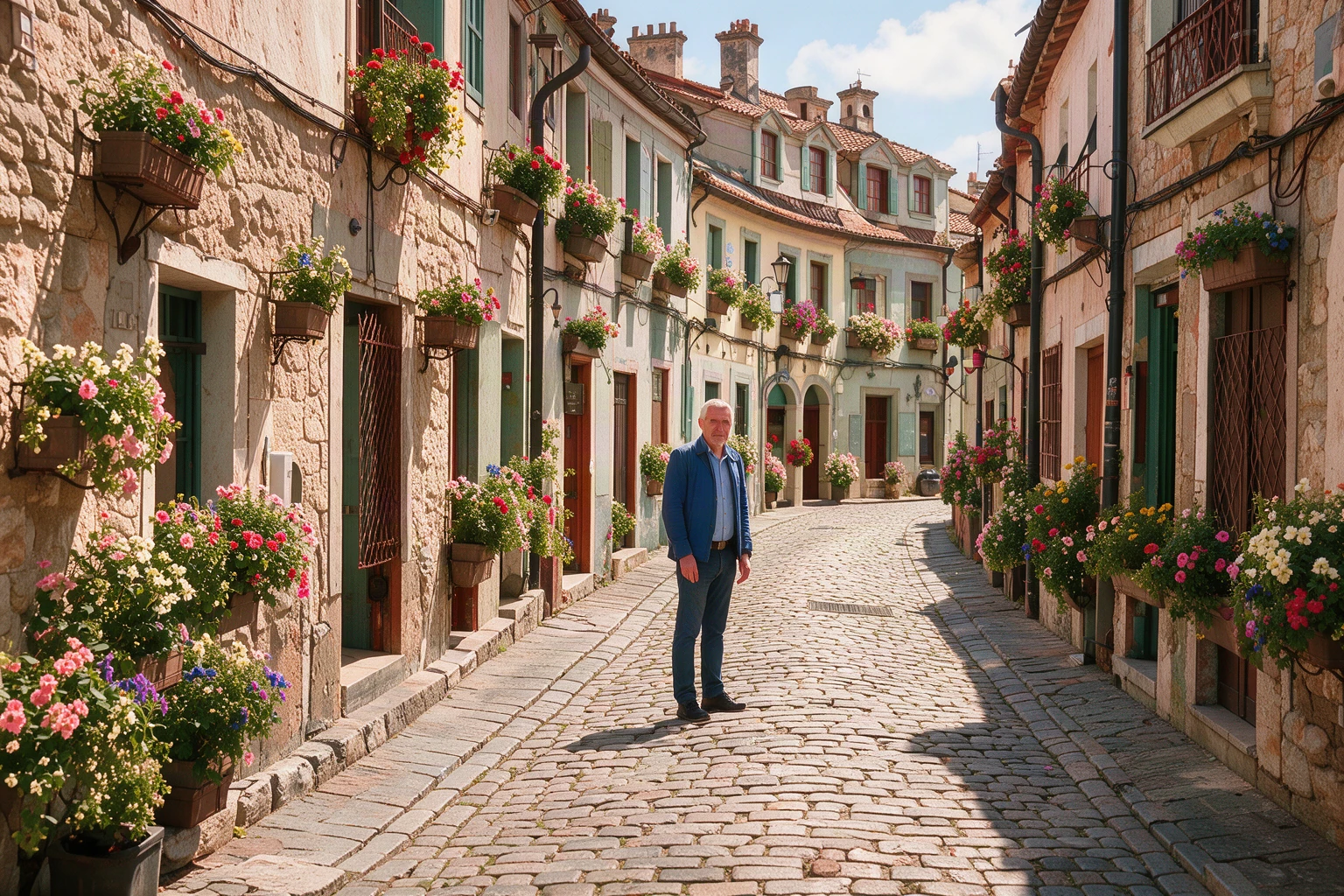
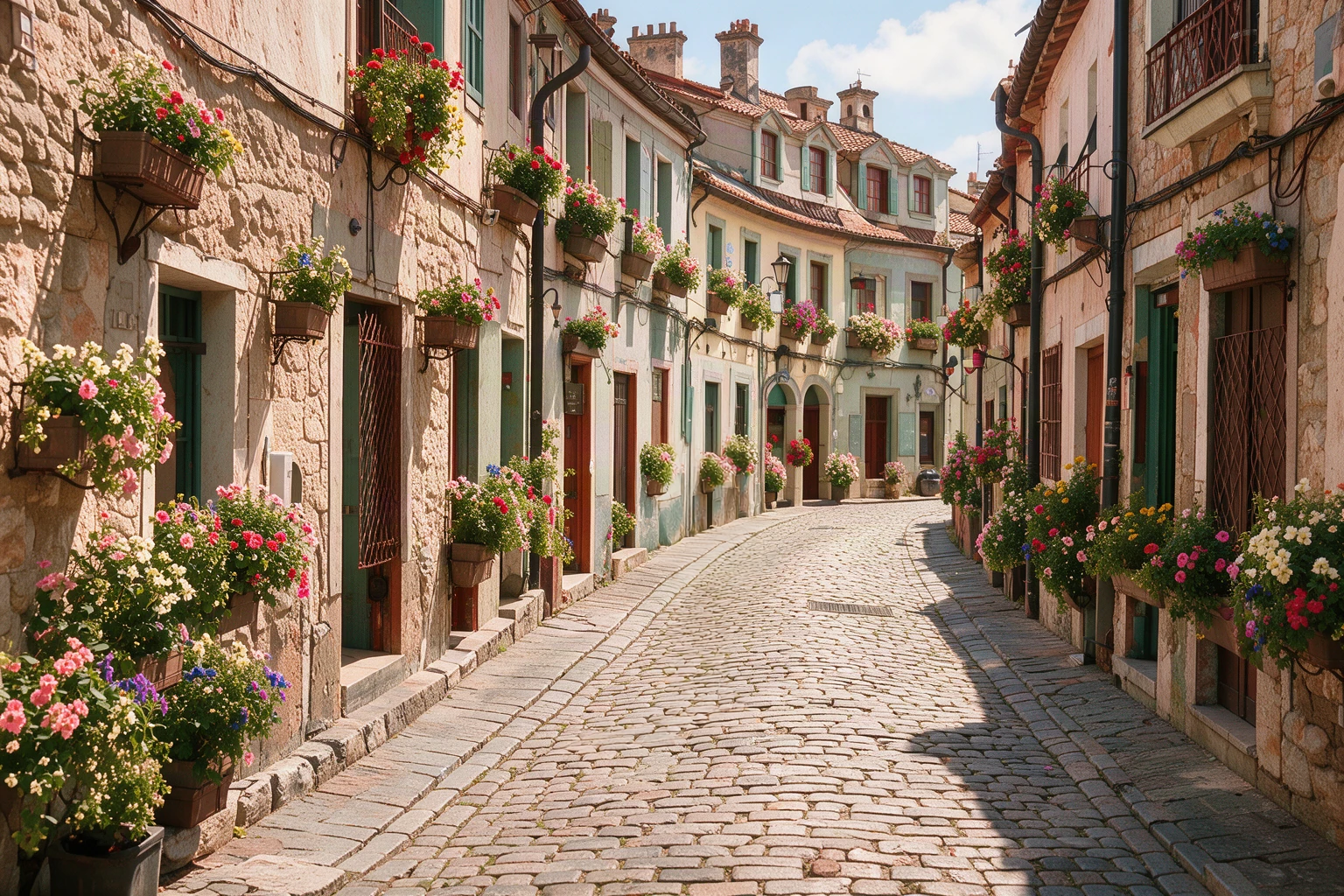 Move your pointer over the picture to move the frame. Arrow keys work too.
Move the frame. Only the edit is in colour.
Or start from one of ours
If an edit fails, the credits come back automatically. Credits are not returned when a finished result is blocked by our content policy.
Upload a photo. Select the person or object, then ask to remove it.
Example: one man out of a street
The man was removed and the cobbles were rebuilt. About 1.8% of the picture moved.
Instruction used for this example
Remove the man in the blue jacket and rebuild the cobbles and walls behind him. Keep everything else exactly the same.
Site example made with Ideogram 4.5. The source image was created for this demo, and any person shown is fictional.
Start with something specific.
Suggested instructions for everyday cleanup. Name only the object you want changed.
Remove a person
Remove the person in the selected area. Rebuild the background behind them so it matches the surrounding scene. Keep everything else unchanged.
Remove background clutter
Remove the trash can in the back-left corner of this photo. Reconstruct the wall and ground behind it. Preserve the main subject and all other objects.
Clean up a landscape
Remove the small piece of litter near the bottom-center of this landscape photo. Fill the area with matching ground texture and lighting. Keep the rest of the scene the same.
Name it. Remove it. Review it.
1Choose the original photo
Upload a JPG, PNG or WebP with a clearly visible object you want to remove.
2Be specific about the object
Describe its location, size or color. Ask the model to fill the area using the surrounding background.
3Check the filled area
Look for repeated textures, changed edges or missing details. Refine the instruction if the result needs another pass.
Pay once
No subscription. A Medium edit uses 3 credits and a High edit uses 6. Credits last 30 days.
24 credits
- 24 credits
- Up to 12 FLUX, 8 MOSS / Medium, or 4 High images
- Balance valid for 30 days. No subscription.
- Use across all SteadyEdit image tools
72 credits
Recommended- 72 credits
- Up to 36 FLUX, 24 MOSS / Medium, or 12 High images
- Balance valid for 30 days. No subscription.
- Use across all SteadyEdit image tools
One-time purchases in US dollars. Nothing renews. Waffo Pancake, our payment provider, handles checkout and adds sales tax or VAT where required, so that name may appear on your statement. If an edit fails, its credits come back automatically. You can get a full refund within 7 days of a payment if you have not used the credits it added. Terms of Service · Refund Policy