Edit the listing photo. Keep the property true.
Stage an empty room, turn a day shot into dusk, or clear away clutter. Change what is around the property, not the property itself.
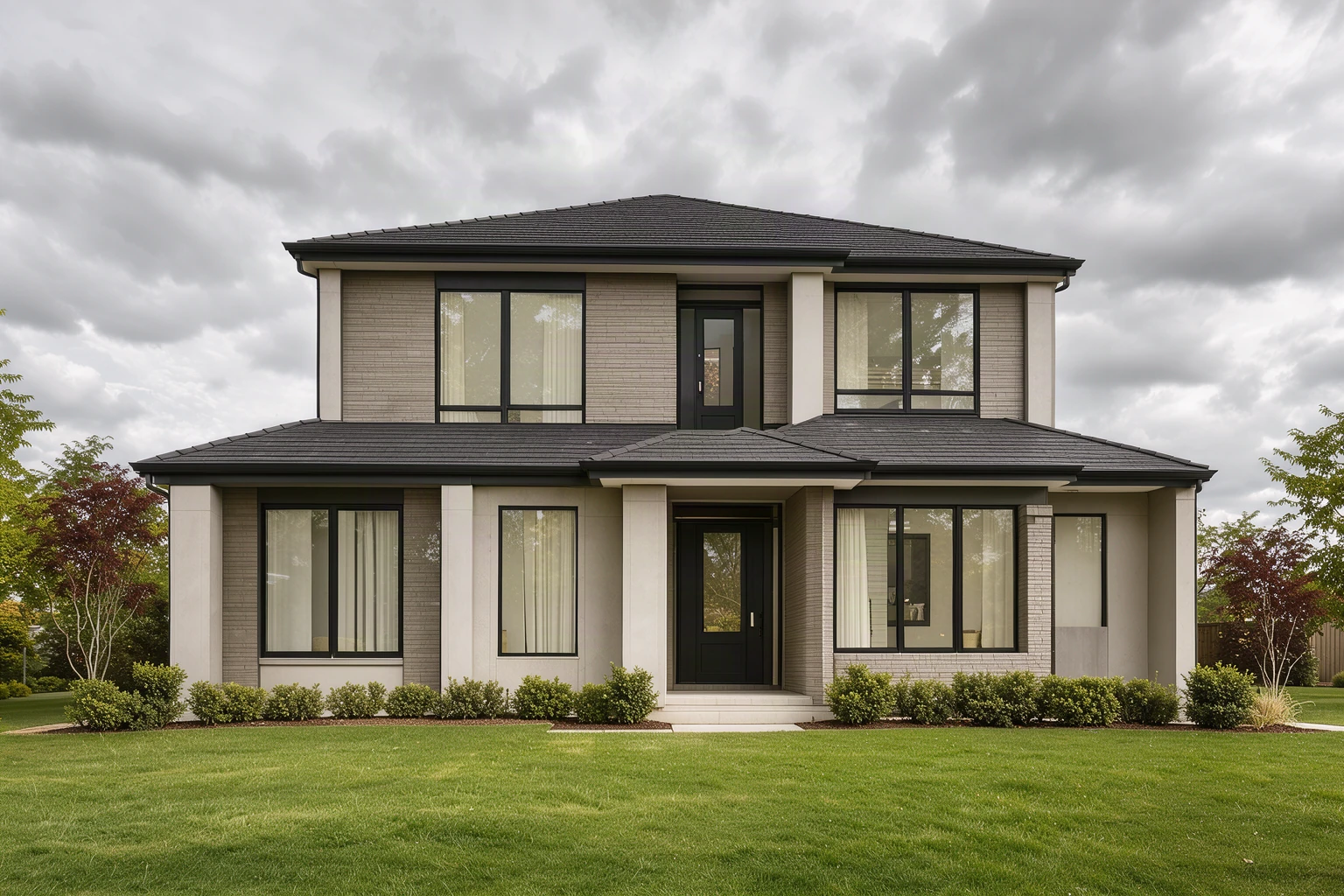
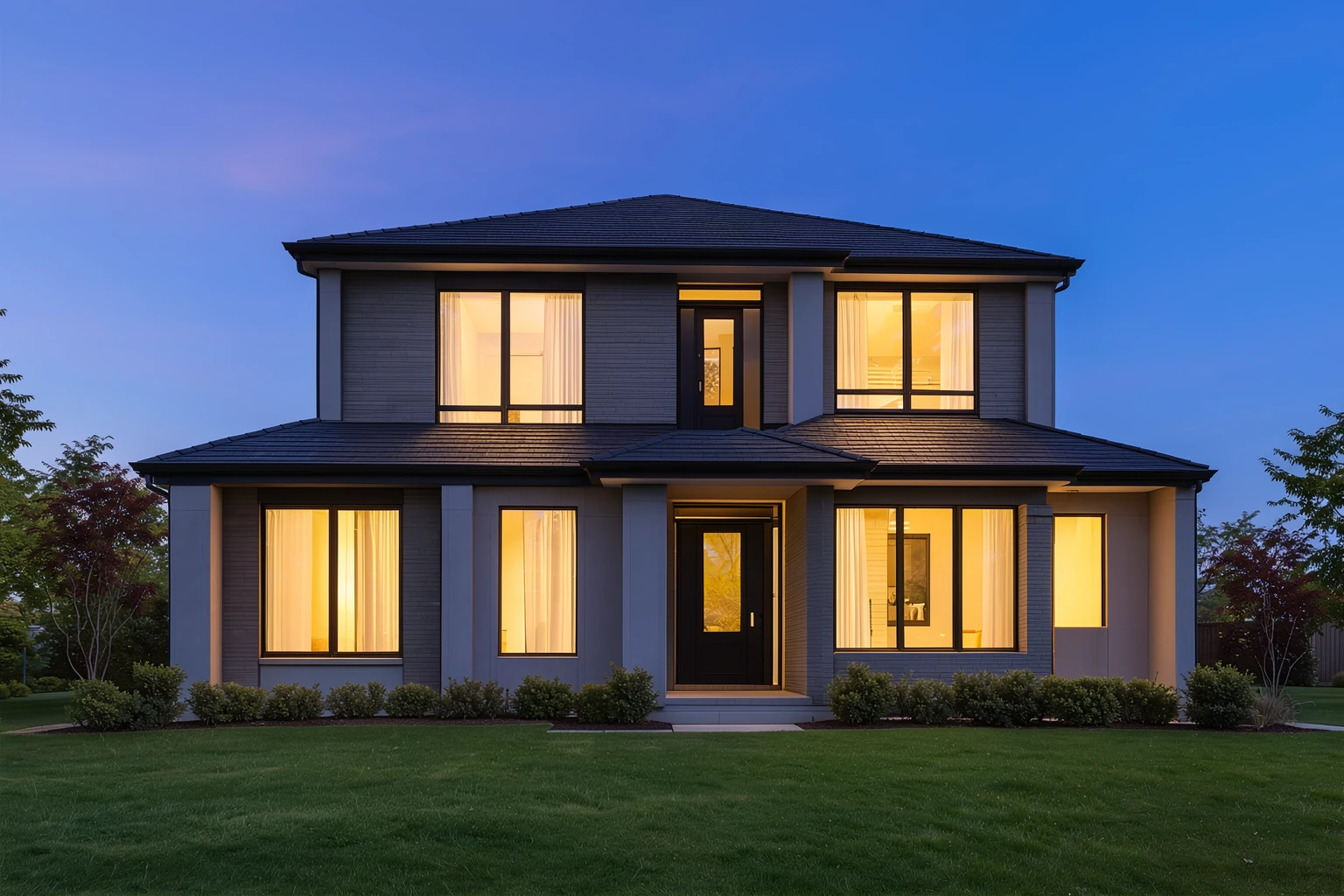 Move your pointer over the picture to move the frame. Arrow keys work too.
Move the frame. Only the edit is in colour.
Example: a daytime listing at twilight
A grey midday exterior became a twilight photo with lit windows. The whole sky and light changed, so disclose edits like this in a listing.
Instruction used for this example
Turn this into a twilight photo with a deep blue dusk sky and warm light glowing in every window. Keep the house, roofline, windows, lawn and driveway exactly the same.
Site example made with Ideogram 4.5. The source image was created for this demo, and any person shown is fictional.
Or start from one of ours
If an edit fails, the credits come back automatically. Credits are not returned when a finished result is blocked by our content policy.
Upload a listing photo. Say what changes and name the walls, windows, floors and fixtures that must stay.
From listing photo to accurate edit.
1Upload the listing photo
Use a JPG, PNG or WebP you have the right to edit. Keep your untouched original for the listing.
2Change one thing at a time
Ask for furniture, light or weather, and say what must not move. Check that scale and layout still match the real room.
3Export for the listing
Check the change map, then use Export for listing to save a labeled image together with the unedited original.
Start with an accurate edit.
Suggested prompts for listing photos. Adapt them to the room, and keep furniture to a realistic size.
Stage an empty room
Add a modern sofa, a low coffee table and a rug, sized realistically for this room. Do not change the walls, windows, doors, flooring, outlets or ceiling.
Turn a day shot into dusk
Make this a calm dusk scene with a soft blue sky and warm light in the windows. Keep the house, roofline, windows, driveway and landscaping exactly the same.
Clear away personal items
Remove the personal items from the kitchen counter. Keep the counter, cabinets, appliances, backsplash and lighting unchanged.
Pay once
No subscription. A Medium edit uses 3 credits and a High edit uses 6. Credits last 30 days.
24 credits
- 24 credits
- Up to 12 FLUX, 8 MOSS / Medium, or 4 High images
- Balance valid for 30 days. No subscription.
- Use across all SteadyEdit image tools
72 credits
Recommended- 72 credits
- Up to 36 FLUX, 24 MOSS / Medium, or 12 High images
- Balance valid for 30 days. No subscription.
- Use across all SteadyEdit image tools
One-time purchases in US dollars. Nothing renews. Waffo Pancake, our payment provider, handles checkout and adds sales tax or VAT where required, so that name may appear on your statement. If an edit fails, its credits come back automatically. You can get a full refund within 7 days of a payment if you have not used the credits it added. Terms of Service · Refund Policy