Add a ghost behind you.
The ghost photo trend puts a dark, smoky figure right behind you. Upload your photo, copy a prompt, and keep your face as it is.
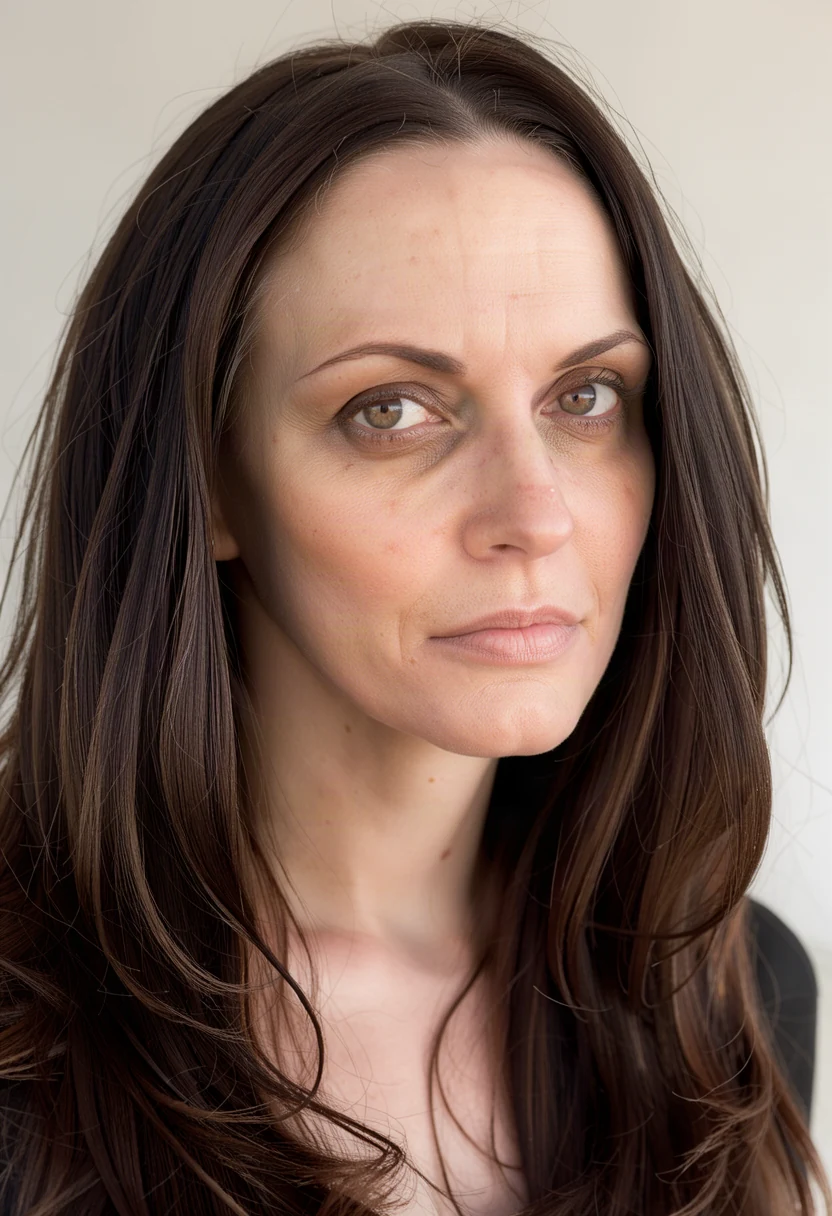
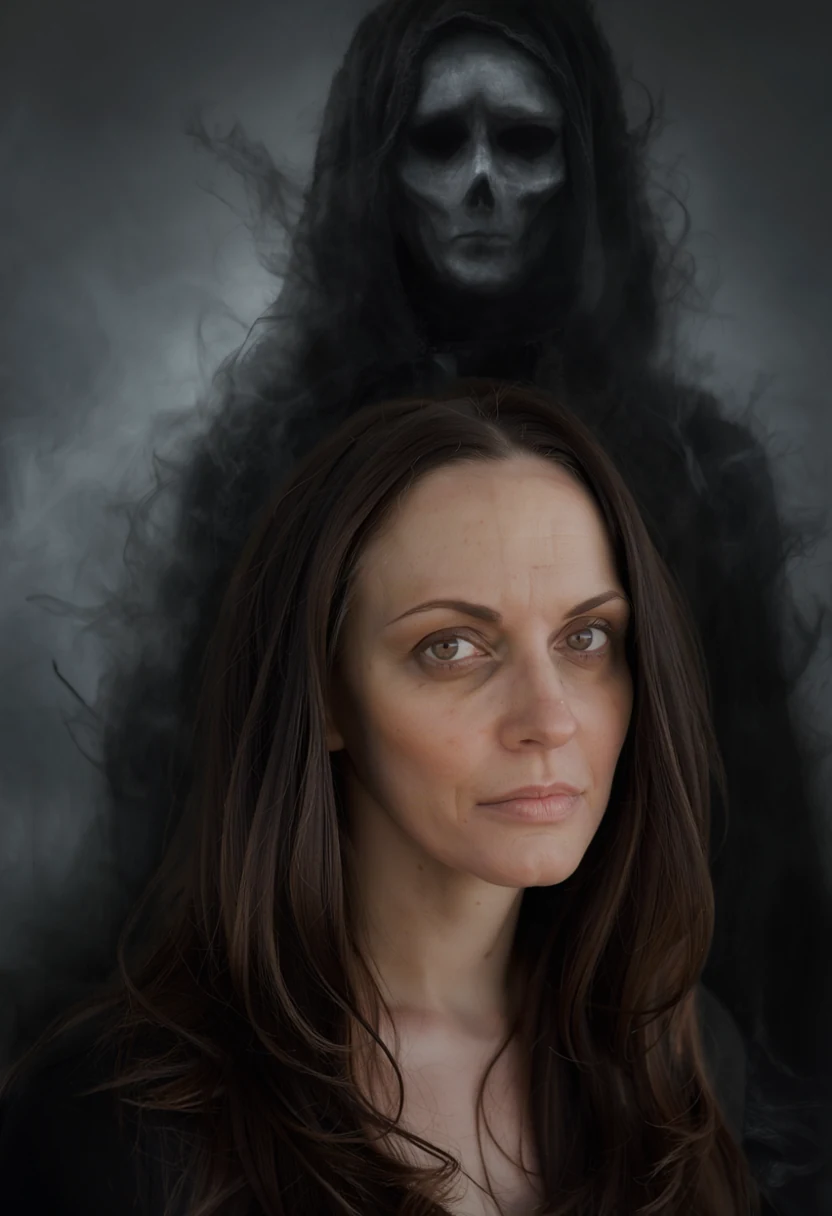 Move your pointer over the picture to move the frame. Arrow keys work too.
Move the frame. Only the edit is in colour.
Example: an original hooded ghost
A High quality edit added an original ghost and darkened the room. The background changed with it, while the face stayed close to the source.
Instruction used for this example
Add a tall dark ghost standing right behind her, clearly visible above and beside her shoulders: a black smoky hooded shadow figure with a pale hollow face, dissolving into grey mist, filling the background. The room gets dim and eerie. Keep her face, hair and clothes exactly the same.
Site example made with Ideogram 4.5. The source image was created for this demo, and any person shown is fictional.
Copy a prompt.
Original ghosts work best. Change the mood to suit your photo.
Hooded shadow
Add a tall dark ghost standing right behind me, clearly visible above and beside my shoulders: a black smoky hooded shadow figure with a pale hollow face, dissolving into grey mist. Keep my face, hair and clothes exactly the same.
Faint figure
Add a pale translucent figure in the background behind me, half hidden in mist, as if caught by accident. Keep me exactly the same.
Hand on the shoulder
Add a thin shadowy hand resting on my shoulder and a dark shape behind me. Make the room dim and eerie. Keep my face exactly the same.
Get haunted in three steps.
1Upload a portrait
A photo with space above and beside you leaves room for the ghost.
2Paste a prompt
Use High quality. Faint results are common at first, so be clear about how visible it should be.
3Turn it up
Continue from the version you like and ask for more mist, a darker room or a closer ghost.
Or start from one of ours
If an edit fails, the credits come back automatically. Credits are not returned when a finished result is blocked by our content policy.
Upload a portrait of yourself. Original ghosts only: film and game characters are not allowed.
Pay once
No subscription. A Medium edit uses 3 credits and a High edit uses 6. Credits last 30 days.
24 credits
- 24 credits
- Up to 12 FLUX, 8 MOSS / Medium, or 4 High images
- Balance valid for 30 days. No subscription.
- Use across all SteadyEdit image tools
72 credits
Recommended- 72 credits
- Up to 36 FLUX, 24 MOSS / Medium, or 12 High images
- Balance valid for 30 days. No subscription.
- Use across all SteadyEdit image tools
One-time purchases in US dollars. Nothing renews. Waffo Pancake, our payment provider, handles checkout and adds sales tax or VAT where required, so that name may appear on your statement. If an edit fails, its credits come back automatically. You can get a full refund within 7 days of a payment if you have not used the credits it added. Terms of Service · Refund Policy