Change the outfit. Keep your face.
Many AI editors redraw the whole picture, so your face can come back slightly different. Draw a box around the clothes instead, describe the new outfit, and leave your face outside the edit.
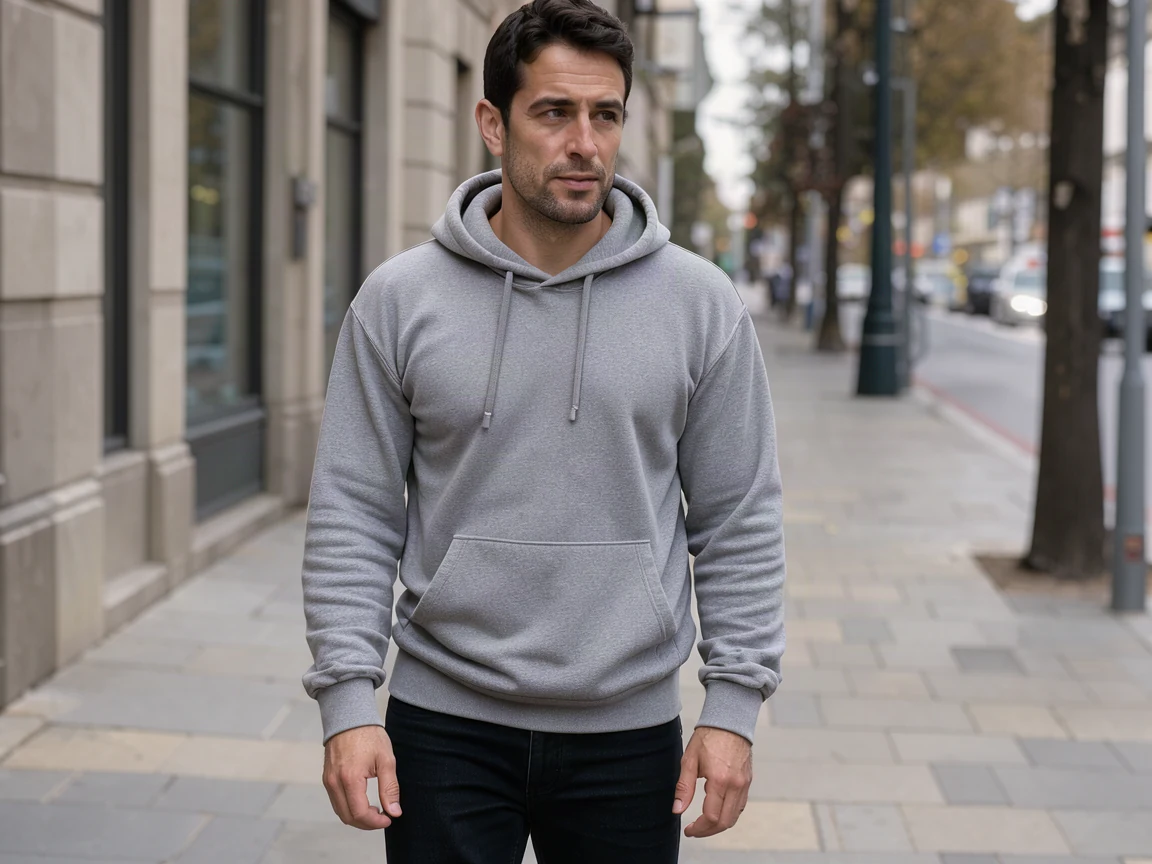
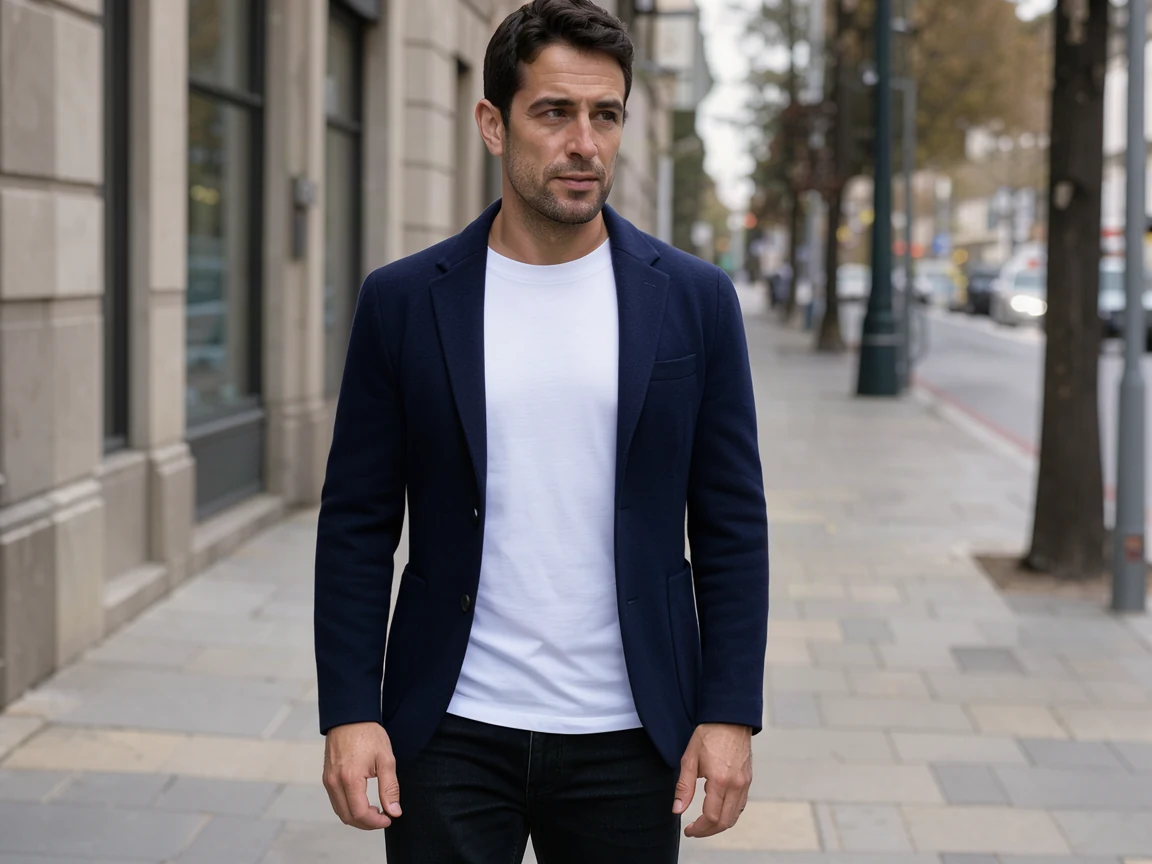 Move your pointer over the picture to move the frame. Arrow keys work too.
Move the frame. Only the edit is in colour.
Or start from one of ours
If an edit fails, the credits come back automatically. Credits are not returned when a finished result is blocked by our content policy.
Upload a photo of yourself, or an adult who gave you permission. Use Select area around the clothes and keep the face outside the box.
Example: grey hoodie to navy blazer
The box ran from the neck down. Outside it 0.54% of pixels moved, including the hood just above the box. It is not a pixel lock, so compare them with the slider.
Instruction used for this example
Change the clothes to a tailored navy wool blazer over a white crew neck t-shirt. Match the same pose and lighting. Keep everything outside the selected area unchanged.
Site example made with Ideogram 4.5. The source image was created for this demo, and any person shown is fictional.
Outfits to try.
Copy one and change the garment. Each one keeps the rest of the photo in the prompt too.
Smart office look
Change the clothes to a tailored navy blazer over a white shirt. Match the same pose and lighting. Keep everything outside the selected area unchanged.
Winter coat
Change the jacket to a long camel wool overcoat. Match the same pose and lighting. Keep everything outside the selected area unchanged.
New color only
Change only the color of the shirt to forest green. Keep the fabric, folds and shape. Keep everything outside the selected area unchanged.
A new outfit in three steps.
1Upload a clear photo
A well-lit photo where the clothes are easy to see works best. Use one with your own permission.
2Select only the clothes
Draw the box around the outfit and keep the face and hair outside it. The edit is focused inside the box.
3Describe the outfit
Name the garment, color and material. Then compare the result with your original before you download it.
Pay once
No subscription. A Medium edit uses 3 credits and a High edit uses 6. Credits last 30 days.
24 credits
- 24 credits
- Up to 12 FLUX, 8 MOSS / Medium, or 4 High images
- Balance valid for 30 days. No subscription.
- Use across all SteadyEdit image tools
72 credits
Recommended- 72 credits
- Up to 36 FLUX, 24 MOSS / Medium, or 12 High images
- Balance valid for 30 days. No subscription.
- Use across all SteadyEdit image tools
One-time purchases in US dollars. Nothing renews. Waffo Pancake, our payment provider, handles checkout and adds sales tax or VAT where required, so that name may appear on your statement. If an edit fails, its credits come back automatically. You can get a full refund within 7 days of a payment if you have not used the credits it added. Terms of Service · Refund Policy