Change the date on a photo.
Fix the orange date stamp on a snapshot or a scanned print. Select the date, type the new one, and SteadyEdit redraws it in the same digits. Changing the date saved in the file is a different job: the FAQ below shows how on iPhone and Mac.
 Move your pointer over the picture to move the frame. Arrow keys work too.
Move the frame. Only the edit is in colour.
Or start from one of ours
If an edit fails, the credits come back automatically. Credits are not returned when a finished result is blocked by our content policy.
Upload a photo you have the right to edit, drag a tight box around the date, and describe the stamp as it should read.
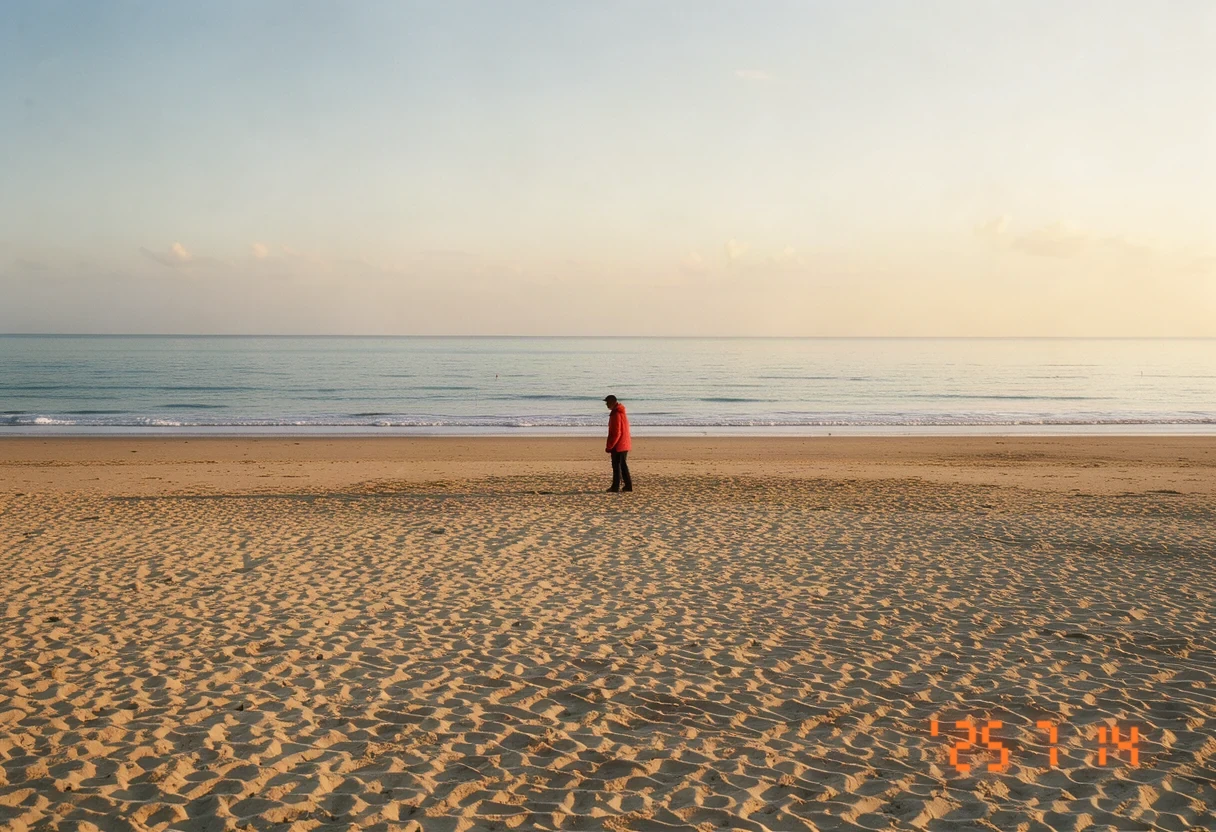
Example: a camera date stamp, redrawn in place
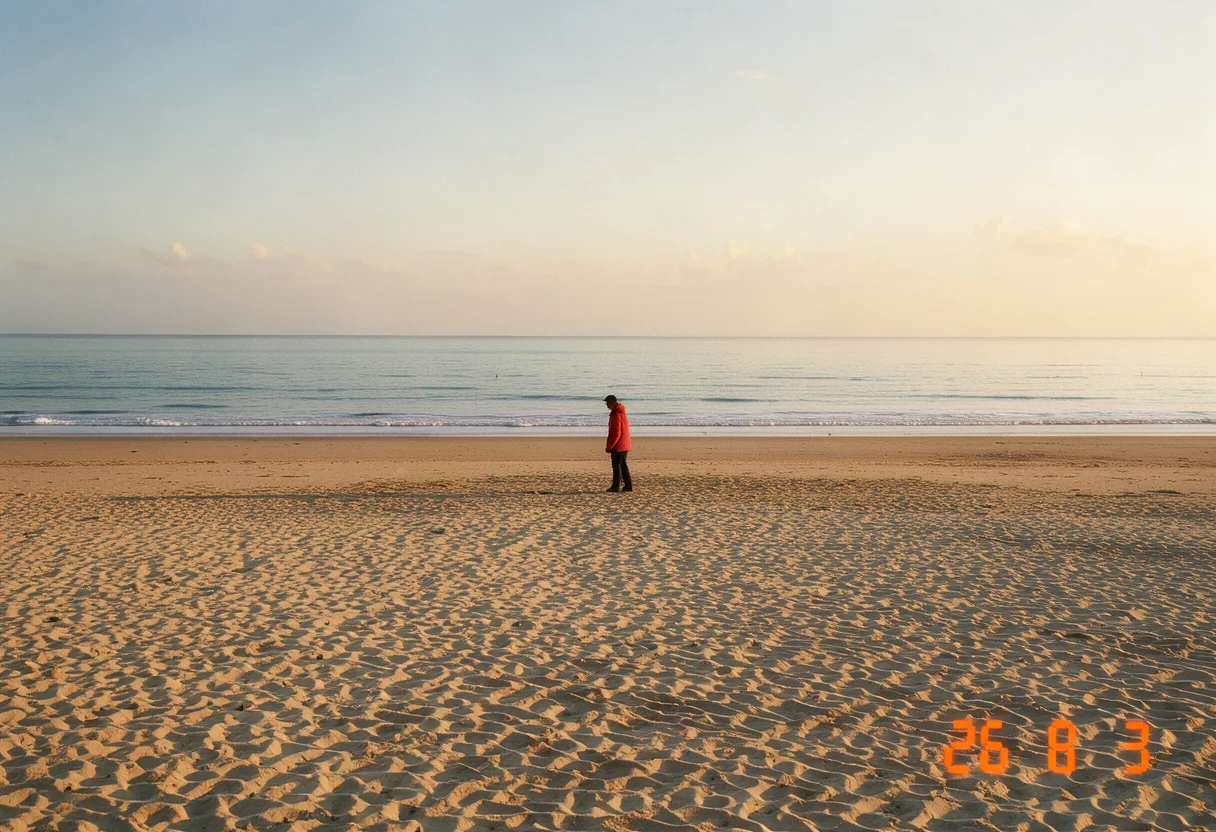
We drew a film-camera date, '25 7 14, on a beach photo, boxed only the date and ran one High edit that describes the finished stamp. It came back as 26 8 3 in orange seven-segment digits, and outside the box 0.00% of pixels moved. The apostrophe before the year was dropped, so zoom in and check every character before you download.
Instruction used for this example
An orange seven-segment film camera date stamp that reads '26 8 3, glowing over the sand, same size and position.
Site example made with Ideogram 4.5 High and Select area. The beach photo was created for this demo and the date stamp was drawn on it by us.
Instructions to copy.
Use these with Select area on the date. Swap in your own dates.
Change a camera date stamp
An orange seven-segment film camera date stamp that reads '26 8 3, glowing over the sand, same size and position.
Remove the date stamp
Remove the text in the selected area and fill it with the matching background.
Change a printed date
Change the date in the selected area to 12/25/2026. Keep the same font, color, size and angle.
Change a date stamp in three steps.
1Upload the photo
Use a JPG, PNG or WebP of a photo you own, or a scan of an old print. Crop out the album page or the scanner bed first if there is a lot of it.
2Box the date only
Drag Select area close around the stamp. Everything outside the box is kept: in the example above, 0.00% of pixels outside it moved.
3Describe the new stamp, then check each digit
Write what the stamp should read, plus its color and style, as in the example. Zoom in and compare every digit with the date you wanted, then download or run another pass.
Pay once
No subscription. A Medium edit uses 3 credits and a High edit uses 6. Credits last 30 days.
24 credits
- 24 credits
- Up to 12 FLUX, 8 MOSS / Medium, or 4 High images
- Balance valid for 30 days. No subscription.
- Use across all SteadyEdit image tools
72 credits
Recommended- 72 credits
- Up to 36 FLUX, 24 MOSS / Medium, or 12 High images
- Balance valid for 30 days. No subscription.
- Use across all SteadyEdit image tools
One-time purchases in US dollars. Nothing renews. Waffo Pancake, our payment provider, handles checkout and adds sales tax or VAT where required, so that name may appear on your statement. If an edit fails, its credits come back automatically. You can get a full refund within 7 days of a payment if you have not used the credits it added. Terms of Service · Refund Policy